
Dynamic Lenticular Event Signage: A 2026 Buyer’s Guide
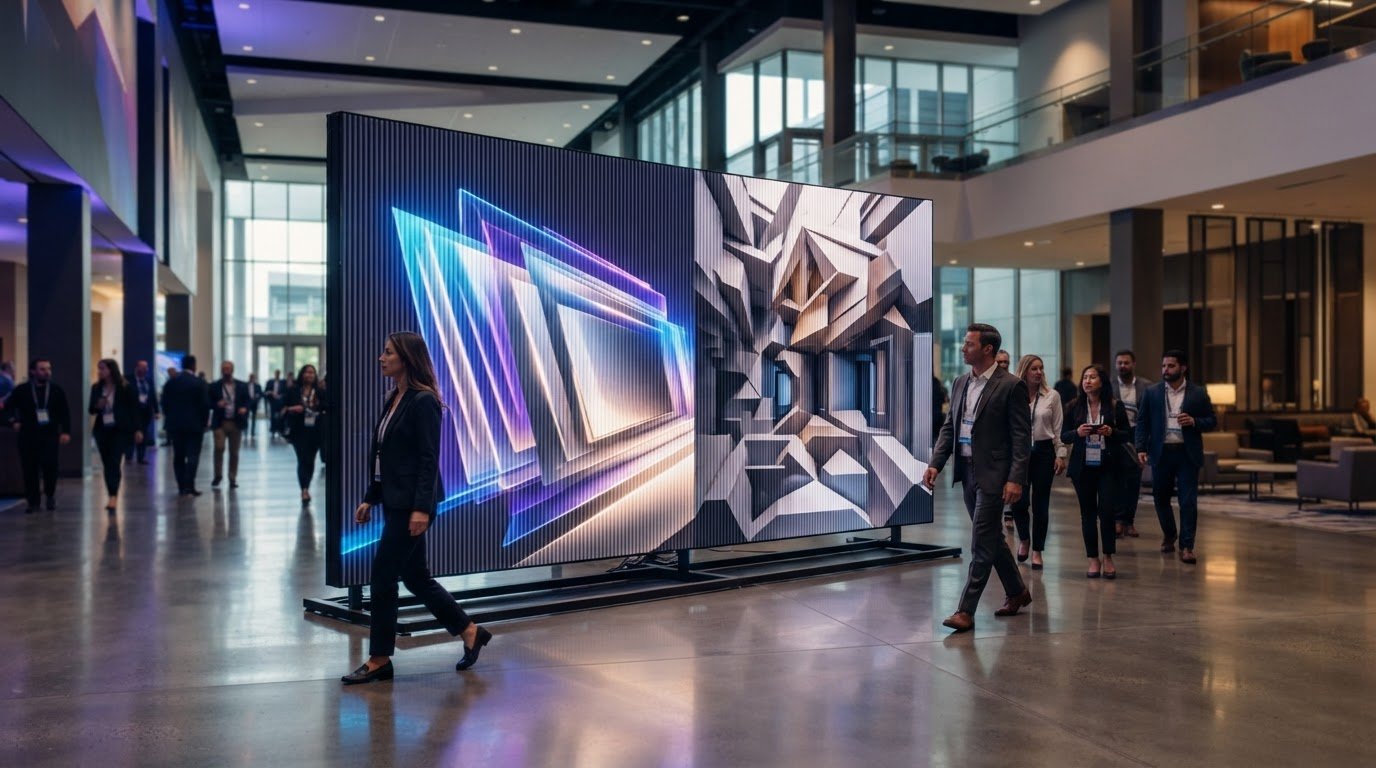
The most dynamic event sign may be the one with no screen. Dynamic lenticular event signage can shift between images or reveal depth as attendees move, but its impact depends on more than the visual effect. If the viewing angle doesn’t suit the audience’s path, a striking concept can be easy to miss. A graphic that works in a quiet lobby may read differently in a crowded, fast-moving venue.
Choosing the right approach means balancing creative intent with the realities of the space. This guide compares lenticular visuals with static graphics and digital signage, then explains how viewing paths, venue conditions, and creative choices shape a project. You’ll also learn what to prepare for the process, from samples and prototyping through production and on-site installation. Softmotion creates large-format lenticular visuals and immersive installations, connecting the idea on screen to the experience in the room.
Key Takeaways
- Learn how lenticular visuals use changing viewpoints to reveal image transitions or dimensional effects in a physical space.
- Compare lenticular, static, and digital signage by how they change, engage audiences, and handle content updates.
- Evaluate whether dynamic lenticular event signage fits your event by considering attendee movement, viewing angles, sightlines, and lighting.
- Prepare a practical project brief with your goal, audience, venue, display location, event dates, and available artwork.
- See how creative development, samples, production, and installation come together in one coordinated project with Softmotion.
What Is Dynamic Lenticular Event Signage, and What Can It Do?
Dynamic lenticular event signage is a printed visual whose appearance changes with the viewer’s perspective. As an attendee walks past or shifts position, the image may flip between scenes, reveal a sense of depth, or suggest motion. The sign itself isn’t a screen playing video. Its effect comes from the relationship between the printed images, the lenticular lens, and the viewer’s angle.
Lenticular printing can create effects such as flips, animation, and 3D depth. For an event, the creative challenge is to design that effect around where people will actually see it. A graphic along a corridor may be viewed in motion, while one near registration may get a more direct, sustained view. The expected approach, viewing distance, and sightlines all influence how clearly the transition reads.
How does a lenticular effect change as attendees move?
The lens directs different parts of the printed image toward the viewer at different angles. A small change in position can reveal another image or visual layer. Designers need to consider likely viewing positions early, so the intended transition makes sense along the audience’s path. Unlike screen-based signage, the printed effect doesn’t play a video or update in real time. The viewer’s movement reveals the change.
Which event goals can lenticular visuals support?
A well-planned transition can give a campaign or event narrative a physical presence. One image might introduce a theme, while the next reveals a product detail, a contrasting scene, or another chapter in a story. The visual shift can also invite discovery as guests move through the space, giving them a reason to look again.
Lenticular visuals are useful when a message benefits from transformation or depth rather than simply displaying information. A static graphic may communicate one clear message, while digital signage can present screen-based content that changes independently of the viewer’s position. The choice depends on the communication goal, the audience’s pace, and the conditions around the display, including sightlines and competing visuals. A compelling effect only works if attendees can encounter it as intended.
How Do Lenticular, Static, and Digital Event Signs Compare?
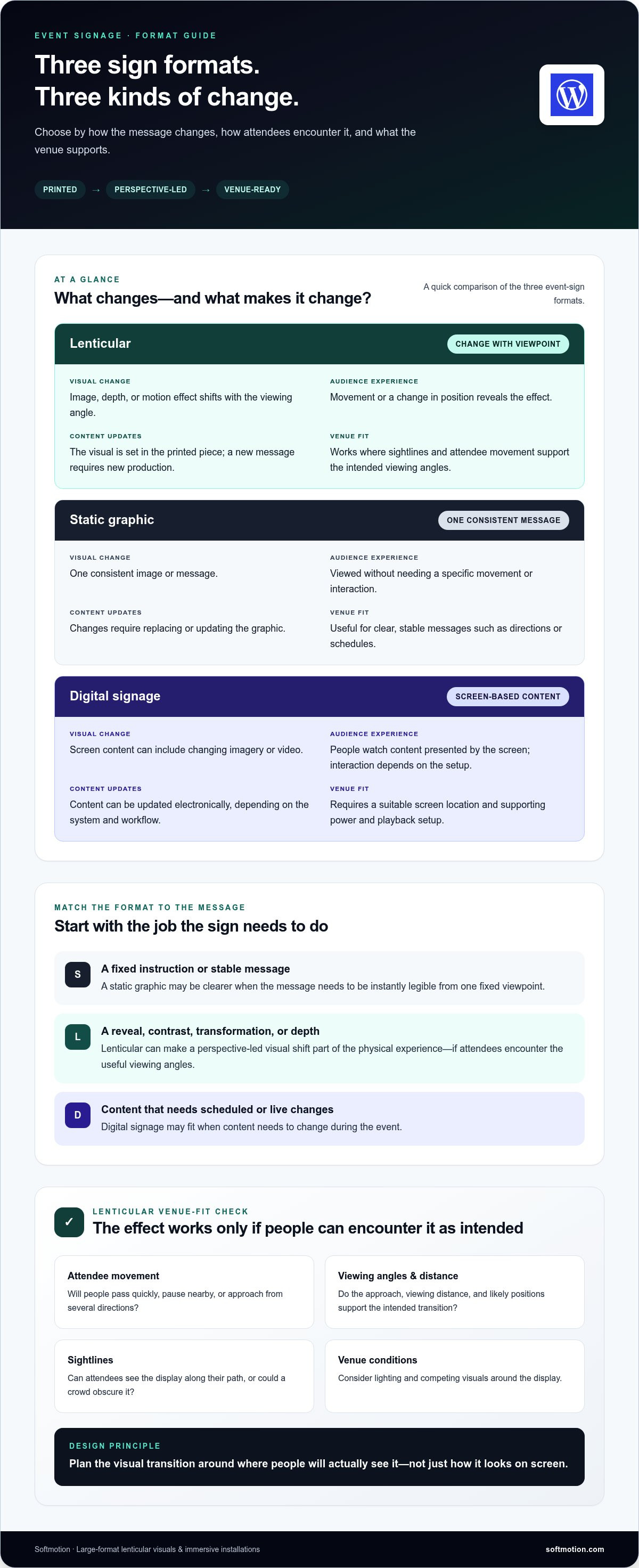
Each format shapes the audience’s experience differently. Lenticular signage builds a perspective-driven change into a printed visual. Static graphics hold one image in view, while digital signage presents content on an electronic screen. Choose based on what the message needs to do, how attendees move through the space, and whether content must change during the event.
| Format | Visual change | Audience interaction | Content updates | Venue context |
|---|---|---|---|---|
| Lenticular | Image, depth, or motion effect shifts with the viewing angle. | Movement or a change in position reveals the effect. | The visual is set in the printed piece; a new message requires a new production. | Works where sightlines and attendee movement support the intended viewing angles. |
| Static | One consistent image or message. | Viewed without needing a specific movement or interaction. | Changes require replacing or updating the graphic. | Useful for clear, stable messages such as directions or schedules. |
| Digital | Screen-based content can include changing imagery or video. | People watch content presented by the screen; interaction depends on the setup. | Content can be updated electronically, depending on the system and workflow. | Requires a suitable screen location and the supporting power and playback setup. |
When does lenticular signage make more sense than static graphics?
Choose a changing visual when the message gains meaning through contrast, transformation, or depth. For example, a campaign could shift from an initial image to a reveal, turning a pass-by into a moment of discovery. The effect depends on useful viewing angles, so consider whether attendees approach from the front or pass alongside the display. If the message must be instantly legible from one fixed viewpoint, a static graphic may be clearer—and for standard promotional boards or urgent venue signage, services like Printbox London (Same Day Printing London) can supply fast, reliable prints to complement more complex displays.
How does lenticular signage differ from digital signage?
Lenticular work builds its visual change into a printed piece; digital signage uses electronic playback to present screen-based content. Digital content may suit a program that changes during an event, while a lenticular visual offers a designed effect that responds to the viewer’s position. Softmotion creates custom lenticular displays for physical, motion-driven visuals that support an event’s creative intent.
There’s no universal winner. Match the format to the message: a fixed instruction may call for a static sign, a perspective-led reveal may suit lenticular, and content that needs scheduled or live changes may call for digital signage. For event spaces deploying advanced digital displays, consulting firms like AVC Principles can assist in designing the necessary audio-visual and ICT infrastructure. That distinction helps keep the creative idea aligned with the venue’s practical demands.
How Can You Tell If Dynamic Lenticular Signage Fits Your Event?
A lenticular visual can be compelling in one location and hard to read in another. Ask whether the intended change fits the message and the way attendees will encounter it. Start with the event objective: are you introducing a campaign, revealing a product detail, or adding a visual moment to a guest’s route? Then consider whether people will pass quickly, pause nearby, or approach from several directions.
Dynamic lenticular event signage needs to be planned for its actual viewing environment. A strong concept can’t compensate for a display hidden behind a crowd, competing with bright graphics, or viewed from an angle that doesn’t reveal the intended transition. Review the site and audience flow during creative development, not just before installation.
What venue and audience conditions affect the visual experience?
Map the main approach routes, circulation paths, likely pauses, and positions from which people will see the display. Note viewing distance and whether attendees will see it head-on or while passing. Lighting matters, too: reflections, uneven illumination, and nearby high-contrast visuals can affect how the piece reads. These observations help shape the artwork and placement around real conditions rather than an idealized view.
Quick fit checklist
- Useful conditions: The message benefits from a visual reveal, attendees naturally pass or pause where they can see it, and the location offers clear sightlines.
- Potential constraints: The message must be read instantly from one fixed viewpoint, the display is likely to be blocked, or the space makes the intended viewing positions difficult to achieve.
- Planning questions: Will lighting change during the event? Are nearby graphics competing for attention? Will the audience have enough time or opportunity to notice the visual shift?
What are the trade-offs of choosing lenticular event signage?
Lenticular signage can give a physical display a sense of transformation and presence without relying on electronic playback. The effect takes coordination: the artwork, viewing path, placement, lighting, and production need to work together. Samples and site planning help align the intended visual with the conditions it will meet.
If the message needs frequent updates, changing schedules, or content that responds independently of audience movement, screen-based signage may better suit the objective. Lenticular is a considered choice when a designed visual transition supports the event story and the venue gives attendees a meaningful way to encounter it.
What Should You Prepare Before Producing Lenticular Event Signage?
A clear brief connects the creative idea to the conditions it must work in. For dynamic lenticular event signage, share the message, audience path, venue details, and event dates early. This gives the creative and production teams a practical foundation for developing the visual, evaluating it with samples, and planning installation as part of the project.
Which details belong in an event signage brief?
Bring the essentials together before creative development begins. Include the event’s purpose and brand message, who will attend, the venue, the intended display location, event dates, and any artwork or established creative direction. Site plans or photographs can help show sightlines, nearby graphics, lighting, access, and installation conditions. Clear information about the location makes it easier to consider the visual in context.
A useful preparation sequence:
- Define the goal. State what the visual should communicate or reveal, and how it supports the event narrative.
- Describe the audience. Note who will see it, how they’ll approach, and whether they’re likely to pass by or pause.
- Share the venue context. Provide the venue name or setting, display location, site information, sightlines, lighting, and relevant access considerations.
- Gather creative assets. Collect available artwork, brand elements, campaign materials, and any direction already approved.
- Set the event dates and installation needs. Share when the signage will be used and any site conditions that affect bringing it into place.
- Review the visual before scaling up. Use samples or prototyping to assess the creative direction, then align production and installation planning with the brief.
How do samples and prototypes support a better decision?
A lenticular effect is best understood as a physical visual, not only as artwork on a screen. A sample can help stakeholders examine how the images shift, whether the intended change reads clearly, and how the creative direction feels in person. This creates an opportunity to discuss adjustments before full-scale production. The sample-to-production process can be shaped around the visual and event context.
Keep the review focused: does the transition support the message, and does it suit the expected viewing positions? Bringing decision-makers into the conversation early can help align creative intent with venue realities. Softmotion coordinates samples, prototyping, production, and on-site installation as connected stages of a project. Plan your lenticular event signage with the creative direction and site details in view from the start.
How Does Softmotion Bring Dynamic Lenticular Event Signage to Life?
Creating dynamic lenticular event signage means bringing creative intent, viewing conditions, and production into alignment. Softmotion develops large-format lenticular visuals and immersive installations, guiding projects from creative development and samples through full-scale production and on-site installation. Each stage connects the visual idea with the place where attendees will encounter it.
What experience does Softmotion bring to event projects?
Founded in 1997, Softmotion has delivered more than 1,000 projects worldwide. Its experience spans advertising, trade shows, architecture, fine art, and corporate environments, including custom visuals for events and exhibition spaces. This breadth informs practical project decisions, from how a changing image supports a brand message to how the finished visual relates to its surroundings.
What happens when an event concept moves toward production?
The process starts with the concept and its setting. The team considers the intended message, available artwork, audience movement, display location, and site conditions, then develops a visual direction suited to those factors. Samples and prototypes help stakeholders assess the physical effect and refine the creative before full-scale production.
As the design develops, production and installation planning stay connected. This coordination accounts for the finished visual as part of the event site, rather than treating installation as an afterthought. A typical project path brings together:
- Creative development: Shape the visual idea around the event message and audience experience.
- Samples and prototyping: Review the effect in physical form and align on the creative direction.
- Production: Develop the approved direction into a full-scale lenticular visual.
- Installation planning: Coordinate the finished piece with its intended location and site conditions.
This collaborative approach connects an ambitious visual idea with the practical realities of the venue. Sharing the event concept, artwork, and site information early grounds the conversation in the intended audience experience.
Have an event visual in mind? Discuss your event signage concept and explore a tailored lenticular approach with Softmotion.
Bring Your Event Visual Into Focus
The right event signage starts with the experience you want to create. Lenticular visuals can add a perspective-led reveal when the message, audience movement, and venue conditions work together. Static graphics offer a consistent message, while digital signage can present screen-based content that changes independently of the viewer’s position. Choose the format that best serves the event objective, not simply the one with the most movement.
For a lenticular project, a clear brief and early attention to sightlines, lighting, and display location connect the creative idea with the real event space. Samples and prototyping also give teams a chance to assess the visual direction before full-scale production and installation.
Founded in 1997, Softmotion has delivered more than 1,000 projects worldwide. Its project work spans samples, prototyping, production, and installation, bringing creative development and site planning into one coordinated process.
Have an idea taking shape? Discuss your event signage concept and explore a visual approach tailored to your goals and venue. With thoughtful planning, dynamic lenticular event signage can make your event environment feel more dimensional and memorable.
Frequently Asked Questions
What is dynamic lenticular event signage?
Dynamic lenticular event signage is a printed visual that changes appearance as someone moves or views it from a different angle. A lenticular lens directs parts of the image toward the viewer, creating effects such as a flip between images, a sense of depth, or apparent motion. The sign doesn’t play a video. Its effect is designed into the printed piece, so placement and likely viewing positions matter.
How is lenticular event signage different from digital signage?
Lenticular signage is a physical printed visual whose effect changes with the viewer’s perspective. Digital signage uses a screen to show electronic content, which may include video or material updated during an event. Lenticular suits a designed visual transition, while a screen may fit messages that need frequent changes. Each has different venue and production considerations, so choose based on the event’s communication needs.
Can lenticular signage work in a busy event space?
Yes, it can work in a busy space if the display is placed where attendees can see the intended visual change. Consider how people approach and pass it, whether crowds may block sightlines, and how lighting or nearby graphics affect visibility. A fast-moving audience may encounter the piece differently from guests who pause nearby. Planning around actual traffic flow helps align the visual with the event environment.
How do I choose between lenticular and static event graphics?
Choose lenticular when a shift in image, depth, or perspective helps communicate the idea. A campaign reveal or visual contrast may benefit from that transformation. Choose a static graphic when the message needs to remain consistent and immediately readable from a fixed viewpoint, such as a simple direction. Consider the objective, attendee movement, likely viewing positions, and whether the message needs one clear image or a visual change.
What information should I provide for a lenticular signage project?
Start with the event purpose, key brand message, audience, venue, display location, and event dates. Share available artwork and any established creative direction, along with site plans or photographs if you have them. Details about attendee routes, sightlines, lighting, nearby displays, access, and installation conditions help connect the design to the space. These inputs give the creative and production process a clearer foundation.
Why use a sample or prototype before producing event signage?
A sample or prototype lets stakeholders assess the visual effect in physical form before full-scale production. They can see how the image changes, consider whether the transition supports the message, and assess how it reads from expected positions. This review can help refine the creative direction while there’s still room to adjust it. It also gives event teams a tangible reference for aligning around the design.